

Losing access to an important video feels worse now than it did a few years ago. Phones shoot in higher resolutions, creators work with massive files, and even casual users store family memories digitally. One broken MP4 can wipe out hours of footage. That is exactly why video repair software keeps getting smarter in 2026.
Some tools focus on quick browser-based fixes. Others are built for deeper corruption issues that happen after crashes, failed transfers, or damaged SD cards. The trick is finding software that actually repairs files instead of just converting them into lower-quality versions.
What Makes a Good Video Repair Tool in 2026
Video repair software has changed a lot. Earlier tools were often clunky and unreliable. Modern platforms are far more automated, especially when handling MP4 and MOV corruption.
A solid repair tool should handle several things well:
- Support modern formats like MP4, MOV, MKV, and AVI
- Repair videos from phones, drones, DSLR cameras, and CCTV systems
- Preserve audio sync and metadata
- Preview repaired footage before saving
- Handle partial corruption instead of only fully broken files
Some programs also use sample file reconstruction. That sounds technical, but it simply means the software compares your damaged video with a healthy file from the same device to rebuild missing data.
Important fact: MP4 corruption often happens because the file header is damaged, not because the entire video is lost. Many repair tools specifically target this issue.
Stellar Repair for Video Still Leads the Desktop Category
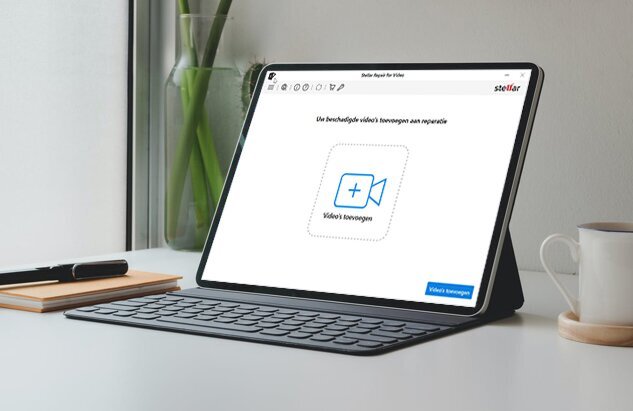
Desktop repair tools still dominate when files are severely damaged. Online services are convenient, but large video files and deeper corruption usually require local processing power.
One reason many people continue to use fix corrupt MP4 video solutions is the balance between ease of use and advanced repair capability. Stellar Repair for Video supports formats like MP4, MOV, AVI, MKV, and AVCHD while also handling footage from phones, drones, DSLR cameras, and action cams.
The software also includes batch repair and an Advanced Repair mode that uses a sample file from the same recording device. That feature matters more than people realize because severely corrupted files often need reference data to rebuild the playable structure properly.
A lot of users simply want a tool that works without command lines or codec troubleshooting. Stellar fits that audience well.
Online Video Repair Services Are Better Than They Used to Be
A few years ago, online video repair tools were mostly unreliable. Upload limits were tiny, and repair success rates varied wildly. That has improved quite a bit in 2026.
Platforms like Stellar Free Online Video Repair, Clever Online Video Repair, and EaseUS Online Video Repair now support larger uploads and more modern codecs. That makes them useful for quick fixes when installing desktop software feels unnecessary.
Here is a quick comparison of common online versus desktop repair differences:
|
Feature |
Online Repair Tools |
Desktop Repair Software |
|
Convenience |
Very high |
Moderate |
|
Large file support |
Often limited |
Usually unlimited |
|
Severe corruption repair |
Limited |
Much stronger |
|
Processing speed |
Depends on upload speed |
Faster locally |
|
Privacy control |
Lower |
Higher |
|
Batch repair |
Rare |
Common |
Online video repair tools work best for smaller files or mild corruption. Desktop software remains the safer choice for professional footage or videos that cannot be replaced.
Free Tools Can Help, But They Have Limits
A surprising number of people repair videos without paying anything. Sometimes that works perfectly. Sometimes it wastes hours with unjustified results.
VLC Media Player still offers basic AVI repair by rebuilding file indexes automatically. FFmpeg and HandBrake can also recover partially corrupted videos through transcoding or remuxing.
The catch is that free tools usually require experimentation. You may need terminal commands, codec knowledge, or multiple conversion attempts.
Did you know?
HandBrake was originally built as a transcoder, not a repair tool. Many users discovered accidentally that re-encoding damaged files sometimes restores playback.
Free solutions are excellent for lightweight corruption. They become frustrating when the footage contains broken headers, missing metadata, or sync issues.
Wondershare Repairit and Restore.Media Are Strong Alternatives
Not everyone wants the same workflow. Some users prioritize simplicity while others care more about cloud access or editing integration.
Wondershare Repairit remains one of the more polished repair suites available right now. It supports desktop repair and online repair modes while handling common formats like MP4, MOV, and AVI. The interface feels beginner-friendly, which helps if you are not comfortable dealing with technical settings.
Restore.Media leans more toward professional and semi-professional creators. It specializes heavily in camera footage repair and supports formats used by drones, mirrorless cameras, and action cameras.
A few situations where these alternatives make sense include:
- Cloud-based workflows for remote teams
- Frequent drone or action camera footage repair
- Faster browser-based recovery
- Repairing files across multiple operating systems
None of these tools is magic, though. If a video was overwritten or physically destroyed on failing storage hardware, repair software may not recover it completely.
Choosing the Right Tool Depends on the Type of Corruption

One mistake people make is assuming all video corruption is identical. It is not. A frozen video frame needs a different approach than a file that refuses to open entirely.
Here is a practical way to think about it:
|
Problem |
Best Approach |
|
Video will not open |
Dedicated repair software |
|
Audio out of sync |
Desktop repair tool |
|
Black screen playback |
Header reconstruction |
|
Minor playback glitches |
VLC or HandBrake |
|
Corrupted drone footage |
Sample file repair |
|
Huge 4K files |
Local desktop repair |
A simple playback issue might only need re-encoding. Serious corruption usually requires reconstruction of damaged data structures.
Research into corrupted video restoration has also accelerated recently because streaming platforms and modern recording devices generate increasingly complex video streams. That progress is slowly improving consumer repair tools, too.
Final Thoughts
Video repair software in 2026 feels far more reliable than it did even three years ago. Tools are smarter, interfaces are cleaner, and repair success rates are noticeably better for common corruption problems.
For quick browser fixes, online services are finally practical. For valuable footage, desktop software still delivers the strongest results.
Stellar Repair for Video, Wondershare Repairit, Restore.Media, and even free utilities like FFmpeg, all have their place depending on the situation.
The safest habit is still the simplest one. Keep backups before corruption happens. Repair tools are useful, but having an untouched original copy is always better than trying to rebuild a damaged file afterward.